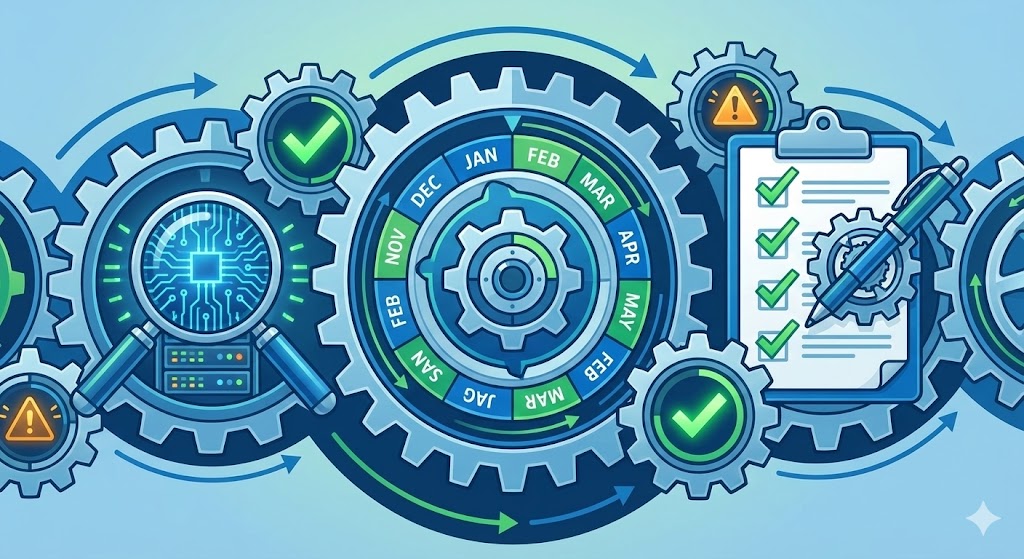
Regular clinical safety checks are a core requirement of DCB0160 because digital systems change constantly — suppliers release updates, staff alter configurations, and integrations get modified. A system assessed as safe in January may behave differently by June. Checks confirm three things: the controls you put in place during your DCB0160 assessment are still working, systems are performing as expected with alerts firing and messages routing correctly, and staff know how to escalate problems. High-risk systems such as online triage and prescribing tools need monthly checks of thirty to forty-five minutes. Medium-risk systems need quarterly reviews. Your Clinical Safety Officer is accountable for reviewing findings and deciding on actions.
If you're deploying digital systems in your GP practice, you need to meet DCB0160, NHS England's clinical safety standard. One of the key requirements is ongoing monitoring—you can't just do a safety assessment once and forget about it. This guide explains why regular clinical safety checks matter and how to set up a simple routine that works.
This is part of building a digital clinical safety management system for your practice.
Why Bother with Regular Checks?
You might think "we did the safety assessment when we deployed the system, why do we need to keep checking?" Here's why:
Systems change. Suppliers release updates. Staff change configuration settings. Integrations get modified. A system that was safe in January might behave differently by June.
Problems start small. A routing rule that's slightly off won't cause a serious incident on day one. But after three months of missed urgent referrals, you have a pattern that the CQC will ask about.
Staff need reassurance. When your team knows someone is checking that systems are working safely, they trust the technology more. When they don't know who's checking (or suspect no one is), every small glitch creates anxiety.
Regulators expect it. The CQC looks for evidence that you're monitoring digital risks. Commissioners want to see you're reviewing your systems. Having a simple check routine and keeping a log makes these conversations straightforward.
What Actually Needs Checking?
Regular clinical safety checks confirm three things:
The controls you put in place are still working. When you did your DCB0160 assessment, you identified risks and decided how to control them (maybe with staff training, workflow changes, or system configuration). Checks confirm those controls are still in place and effective.
Systems are performing as expected. Alerts are firing. Messages are routing correctly. Integrations are working. Updates haven't broken anything.
Staff know how to escalate problems. Everyone knows who to tell if something looks wrong, and there's a clear path from "I think this is odd" to "we need to pause this system."
That's it. You're not trying to re-assess every risk or audit every workflow. You're checking the key controls are holding and the system is behaving.
How Often Should You Check?
This depends on the system and its risk level. Here's a reasonable starting point:
High-risk systems (online triage, repeat prescribing, clinical decision support): Monthly, 30-45 minutes, led by your Clinical Safety Officer with an admin or digital lead.
Medium-risk systems (patient messaging, appointment booking): Quarterly, 20-30 minutes.
Lower-risk systems (newsletters, surveys, general comms): Twice a year, 15-20 minutes.
After any major change (system update, new integration, workflow change): Within a week of the change going live, even if you just did a scheduled check.
If you're starting from zero, pick your two highest-risk systems and do monthly checks on those for three months. Once you have a routine, add the others.
Who Does the Checks?
Your Clinical Safety Officer is accountable. They don't have to do all the checking themselves, but they need to review the findings and decide what action to take.
In practice, most GP surgeries pair the CSO with either a practice manager, a senior receptionist, or a digital champion. The CSO brings the clinical perspective ("is this a patient safety risk?") and the other person brings the operational knowledge ("has the system been updated recently?").
For more on setting up the CSO role, see Setting Up a Clinical Safety Officer Role Without Extra Headcount.
What to Look For During a Check
Keep it focused. You're looking for evidence that things are working (or signs that they're not). Here's what to review:
Key workflows: Pick 2-3 safety-critical workflows (red flag triage, repeat prescribing, urgent referrals). Check they're routing correctly. If you have test accounts, run a few dummy cases.
Alerts and decision support: Are alerts firing when they should? Has anyone changed the thresholds? Review alert logs or ask the supplier for a report.
Incidents and near misses: Has anyone reported a problem with this system since the last check? Review your incident log. Even if nothing was formally reported, ask staff "have you noticed anything odd?"
Updates and changes: Has the supplier released an update? Has anyone changed the configuration? If yes, did you re-test the key workflows?
Training gaps: Are there new starters or locums who haven't been trained on this system? Do they know how to escalate problems?
Document what you checked, what you found, and what you're going to do about it. A simple log in a spreadsheet or document is fine—you don't need fancy software.
What to Do When You Find a Problem
If your check reveals a problem, you need to:
-
Assess the risk. Is this an immediate patient safety risk? If yes, pause the system or workflow until you've fixed it. If it's lower risk, log it and plan a fix.
-
Decide on action. Do you need to change a configuration? Update training? Contact the supplier? Set a clear action owner and deadline.
-
Log it. Update your hazard log. If it's a new risk, add it. If it's an existing risk where a control has failed, update the record.
-
Follow up. At your next check, confirm the action has been completed and the problem is resolved.
For more on this process, see How to Conduct a DCB0160 Clinical Safety Assessment.
Keep It Simple
The biggest risk with clinical safety checks is that they become a burden and people stop doing them. Here's how to keep them sustainable:
Set a fixed time. Put the checks in your diary. First Monday of the month, 9:00-9:45. Protect that time like you would a clinical session.
Use a simple template. Date, system name, who checked, what you looked at, what you found, actions. That's all you need. Don't create elaborate inspection forms.
Integrate with existing meetings. You don't need a separate "clinical safety meeting." Add a 5-minute slot to your existing governance or practice meetings to review the findings and actions.
Share the load across a PCN. If you're working with other practices in a Primary Care Network, you could share templates, compare findings, or even run joint checks on systems you all use.
For a complete guide to setting up your management system, see How to Build a Clinical Safety Management System from Scratch.
What Good Looks Like
After 3-6 months of regular checks, you should see:
- Fewer technology-related incidents (you're catching problems before they affect patients)
- More proactive problem reports from staff (they know someone will act on their concerns)
- Confidence in CQC or commissioner conversations (you can show evidence of ongoing monitoring)
- Less stress when suppliers release updates (you have a routine for checking they haven't broken anything)
If you're not seeing these benefits, your checks might be too infrequent, too superficial, or the findings aren't being acted on. Review your approach and adjust.
Common Mistakes to Avoid
Stopping checks when you're busy. This is when risks accumulate. Protect the time in your rota and delegate if the CSO is on leave.
Logging problems but not following up. A check is only useful if you act on what you find. Set clear action owners and deadlines, and review progress at your next check.
Assuming the supplier is checking everything. Suppliers have obligations under DCB0129 to manage clinical risk in their systems, but that doesn't remove your responsibility to check the system is safe in your context with your workflows.
Making checks too complicated. You're not auditing the entire system. Pick a few key workflows, check they're working, document it, and move on.
Getting Started
Here's a simple 90-day plan:
Month 1: Decide who your CSO is (if you don't have one, see What is a Clinical Safety Officer?). List all your digital systems and identify the 2-3 highest risk. Create a simple check log template.
Month 2: Run your first checks on the two highest-risk systems. Document what you checked and what you found. Fix anything urgent.
Month 3: Run the checks again. Review whether the routine is sustainable and the findings are useful. Add more systems if you have capacity.
After three months, you'll have a routine that works for your practice, evidence for regulators, and peace of mind that you're catching problems early.
Frequently Asked Questions
How often should clinical safety checks be done?
It depends on the system's risk level. High-risk systems such as online triage, prescribing tools, and clinical decision support need monthly checks of thirty to forty-five minutes led by your Clinical Safety Officer. Medium-risk systems such as patient messaging and appointment booking need quarterly reviews of twenty to thirty minutes. Lower-risk systems need checks twice a year. Additionally, check any system within a week of a major change — supplier update, new integration, or workflow change — even if you just completed a scheduled review.
What should I check during a clinical safety review?
Focus on five things: whether the controls from your DCB0160 assessment are still working, whether key clinical workflows are routing correctly, whether alerts and decision support are firing as expected, whether any incidents or near misses have been reported since the last check, and whether new starters or locums have been trained on the system. You are not re-auditing the entire system — you are confirming that your existing controls are holding and the system is behaving as expected.
Who is responsible for conducting clinical safety checks?
Your Clinical Safety Officer is accountable for the checks, but they do not have to do all the checking themselves. Most practices pair the CSO with a practice manager, senior receptionist, or digital champion. The CSO brings the clinical perspective to assess whether findings represent patient safety risks, while the operational partner brings knowledge of recent system changes and day-to-day behaviour. The CSO reviews findings and decides what action to take.
What do I do if a safety check reveals a problem?
Four steps: assess the risk immediately — if there is an immediate patient safety risk, pause the system or workflow until it is fixed. Decide on a specific action with a named owner and deadline. Update your hazard log — add a new risk if it is newly identified, or update the record if an existing control has failed. Follow up at the next scheduled check to confirm the action has been completed and the problem is resolved.
How do I keep safety checks sustainable and avoid them becoming a burden?
Set a fixed diary slot — for example, the first Monday of each month from nine to quarter to ten. Use a simple template: date, system name, who checked, what you looked at, what you found, and actions. Integrate findings into an existing governance or practice meeting rather than creating a separate safety meeting. Share templates and findings across your PCN to reduce duplication. The key is to keep checks short, focused, and routine rather than elaborate.
Need Help?
Building a clinical safety management system can feel overwhelming, especially if you're starting from scratch. Protect Clinical is a platform designed to help GP practices manage digital clinical safety simply and efficiently, from system inventories to check logs to hazard tracking.
If you want a Clinical Safety Officer to set up your first round of checks with you, ours can agree the schedule and template with you, review what the first checks find, or act as your CSO through an outsourced service. Tell us about your practice and we will reply within one business day.
For more on the overall framework, see: